> ## Documentation Index
> Fetch the complete documentation index at: https://docs.tensorpix.ai/llms.txt
> Use this file to discover all available pages before exploring further.
# Authentication
> How to authenticate with the TensorPix API
## Generating the API Key
To generate an API key, perform the following:
1. [Sign up or log in to your TensorPix account](https://app.tensorpix.ai).
2. Click on your email in the top right corner to open the dropdown menu.
3. Click on the "Settings" menu.
4. On the [Settings page](https://app.tensorpix.ai/profile), navigate to the "For Developers" section.
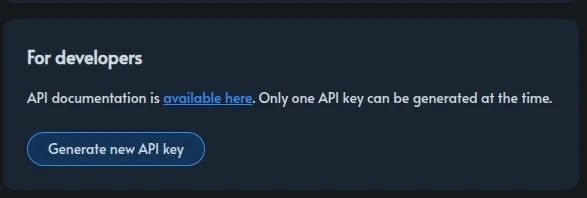 5. In the "For Developers" section, you can generate new API keys and revoke existing ones.
API access is not available in all subscription plans. See [pricing](https://tensorpix.ai/pricing) for more details.
Only one API key can be active at a time. You can revoke an existing key and generate a new one at any time you like. The API key does not expire.
## Request Authentication
To authenticate your API calls, add the following Authentication header to your requests:
`Authorization: Token `
5. In the "For Developers" section, you can generate new API keys and revoke existing ones.
API access is not available in all subscription plans. See [pricing](https://tensorpix.ai/pricing) for more details.
Only one API key can be active at a time. You can revoke an existing key and generate a new one at any time you like. The API key does not expire.
## Request Authentication
To authenticate your API calls, add the following Authentication header to your requests:
`Authorization: Token `